When an operation is ready, you publish it to Discord. TrenchQuarters handles posting the Warning Order, scheduling the Full Order, creating a discussion thread, and managing the operation through to its conclusion.
Publishing requires the  S3 - Operations role.
The Publish Flow
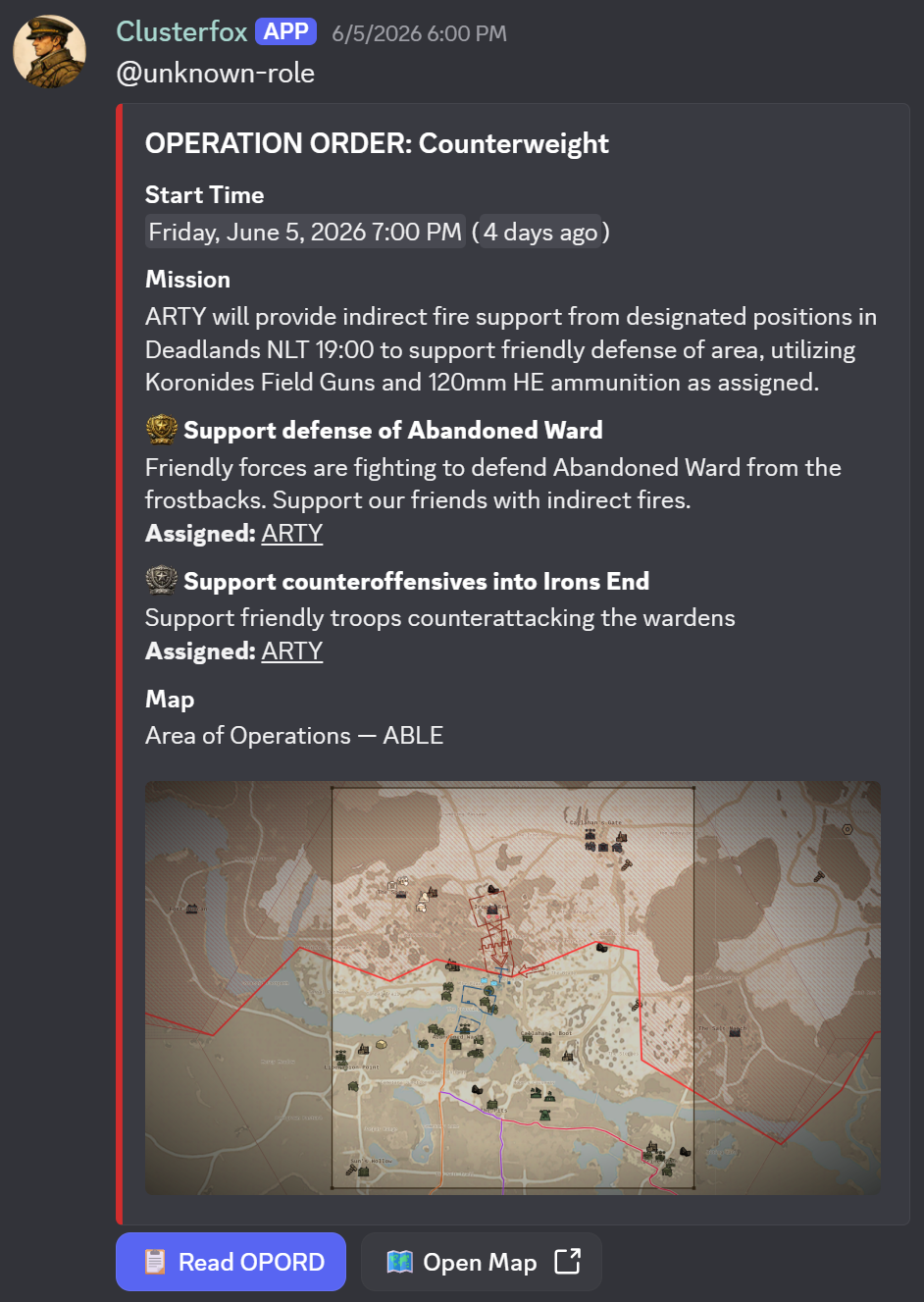
Click Publish on the operation to open the publish dialog.
1. Set the start time. This is when the operation begins. It defaults to two hours from now, rounded to the nearest 15 minutes. Adjust it to your planned H-Hour.
2. Set the full order delay. Choose how many minutes before H-Hour the Full Order should be posted automatically: 15, 30, 60, or 120 minutes. For example, if your operation starts at 20:00 and you choose 60 minutes, the Full Order posts at 19:00.
3. Click Publish. The following happens immediately:
- The Warning Order is posted to your configured operations channel. It includes the operation name, a mission overview, and a signup button. Members click the button to sign up as confirmed or tentative.
- A Discussion Thread is created in your operations channel for the team to coordinate.
- An Operation Role is created in your Discord server and assigned to all guild members, so you can ping everyone with one mention.
The Full Order posts automatically at the scheduled time (start time minus full order delay). It includes the ORBAT diagram, a screenshot of the current map drawings, and a summary of the supply and task lists.
Operation Status
An operation moves through the following states:
| Status | Meaning |
|---|---|
| Draft | Created but not yet published to Discord |
| Warning Posted | Warning Order is live; Full Order has not been posted yet |
| Full Posted | Full Order is live; the operation is active |
| Ended | Operation complete. Outcome recorded, Discord thread locked. |
| Cancelled | Operation cancelled. Cancellation message posted, thread locked. |
The current status is shown on the operation card in the operations list and in the map editor toolbar.
Actions Menu
Click Actions in the map editor toolbar ( S3 - Operations only) to manage a published operation.
Post Full Order Now
Available when status is Warning Posted. Manually triggers the Full Order post before the scheduled time. Use this if the operation is starting ahead of schedule or if you want to brief your team earlier.
Update Map
Available when status is Warning Posted or Full Posted. Regenerates the ORBAT diagram and map screenshot and re-posts them to the existing Discord messages. Use this after making significant changes to the map or roster.
Delay Operation
Sets a new H-Hour and posts an announcement to the Discord thread notifying members of the change. You can add an optional message explaining the reason for the delay.
Cancel Operation
Posts a cancellation announcement to the Discord thread, locks the thread, and archives the operation. The operation role is deleted from the Discord server.
End Operation
Records the outcome of the operation and locks the Discord thread. Choose from:
- Objective Achieved
- Partial Success
- Failed
- Aborted
- Other
Add an optional debrief message that will be included in the closing Discord post.
Unpublish
Deletes the Warning Order and Full Order Discord messages, returns the operation to Draft status, and removes the operation role. Use this to correct a publish error or to reschedule without leaving stale messages in Discord.
Member Signups
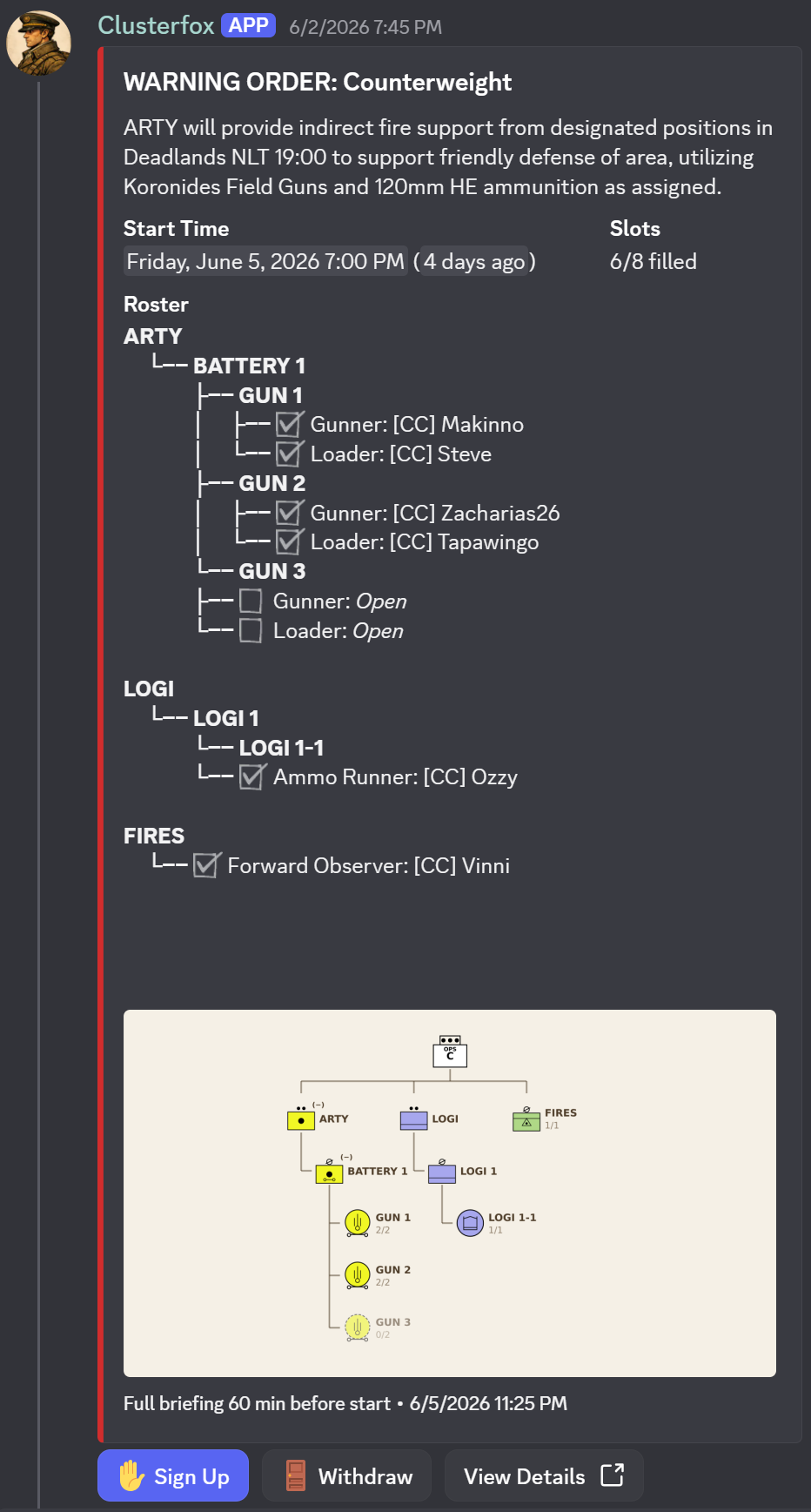
The Warning Order embed on Discord includes a Sign Up button. Members click it to register their intent to participate. They can choose:
- Confirmed: planning to attend
- Tentative: hoping to attend but unsure
Signups are visible in the Roster tab of the Document Panel. Each signed-up member can be assigned to a slot in the unit hierarchy.